
Markup
How Markup Works
Adjust item prices based on the payment method your customer chooses without appearing as a separate line item at checkout.
Markup helps you keep your profit margins steady across different payment methods. It allows you to adjust item prices based on the payment method your customer chooses without appearing as a separate line item on your customer checkout page.
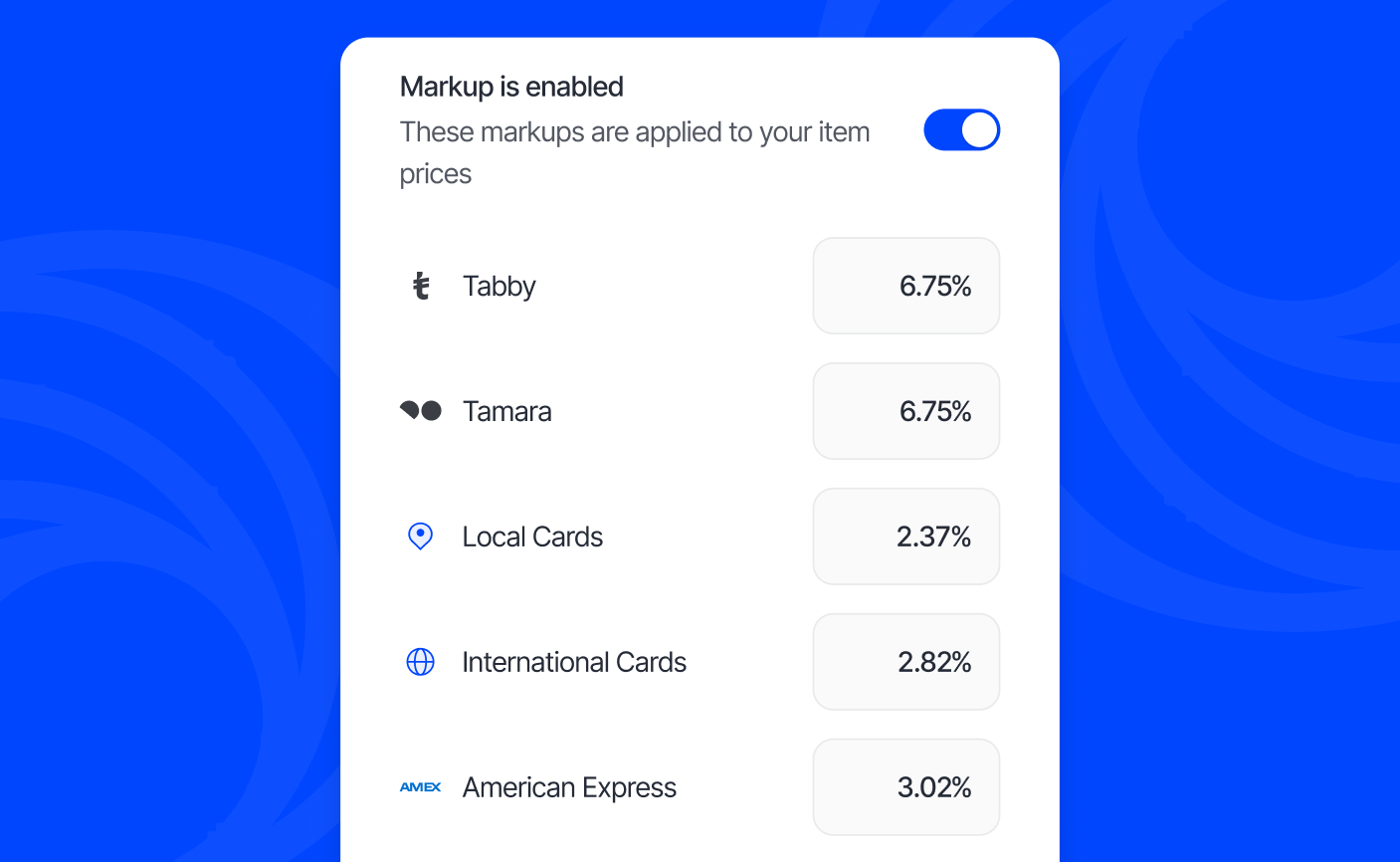
When a customer selects how they want to pay, such as Tabby, Tamara, local cards, international cards, or American Express, the markup you've set is automatically added to the item price. This way, your pricing can be optimised to cover the processing fees for each payment method.
Check out Service Fee to learn how to apply fees that appear separately at checkout.
How Markup works
Once you enable Markup, you can assign a markup to each payment method. Before a customer selects a payment method, they see the total, which includes your highest markup. If they choose a payment method with a lower markup, the price adjusts, and the difference shows as a discount in the checkout summary.
For example, if an item costs AED 250.00 and your Tabby markup is your highest markup at 6.00%, the item price will be displayed as AED 265.00. If your customer chooses Tamara, which you may have set to a lower markup of 4%, the item price will update to AED 260.00, with a discount line item of AED 5.00.
You can see the markup breakdown in your charge details and statements.
How to enable Markup
- Go to Settings > Money > Markup
- Turn the toggle on to enable Markup
- You can leave the standard markups or enter your preferred percentage for each payment method
- Tap Save