
In-Person
Managing In-Person Payments
Authorise and capture charges, and ask customers to add a tip when you charge them in person.
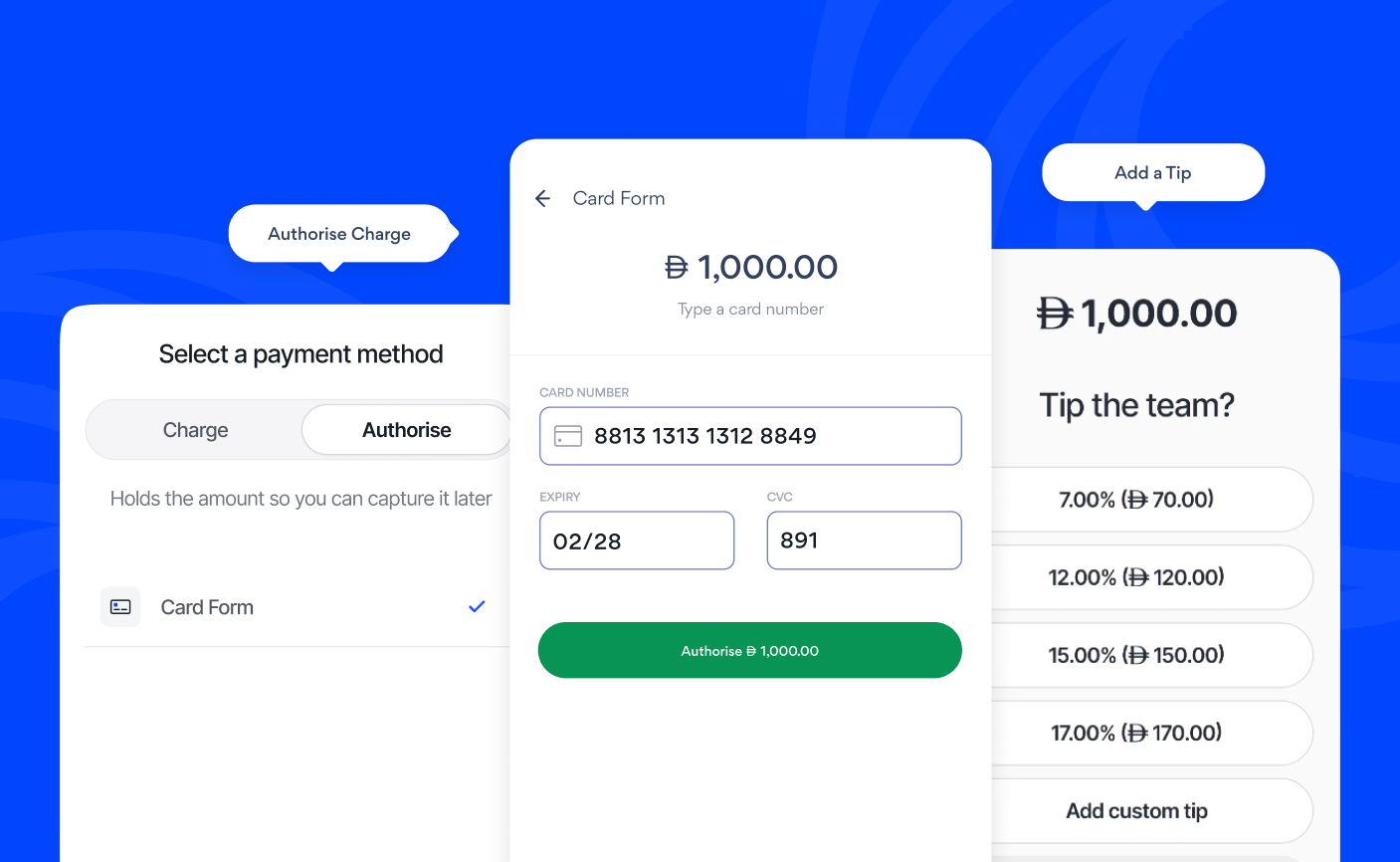
Authorising a Charge
Authorising a charge holds the amount on your customer's card without collecting it immediately. You can capture or cancel the payment later, depending on your business needs.
- Tap In-Person and enter the amount
- Tap the drop-down to select a payment method
- Tap the Authorise tab
- Select Card Form
- Tap Authorise
Capturing or cancelling a charge
- Go to Sales
- Select the charge in Authorise status
- Tap Capture to collect the payment, or tap ⋮ and select Cancel to release the charge
How long authorisations last
Authorised payments are held for up to 7 days. If you do not capture the payment within that time, the authorisation is cancelled automatically, and the hold is removed from your customer's card.
Tips
Tips lets you ask customers to add a tip when you charge them in person. When Tips is enabled, the tipping screen appears after you tap Charge. Ask your customer if they'd like to add a tip and show them your phone.
Your customer can choose one of your four preset percentages, enter their own amount or skip. The tip is added to the payment total. Tips aren't offered on cash payments.
Only Owners and Admins can change tip settings.
Enabling Tips
- Go to Settings > Money > Tips
- Toggle Tips enabled on
Changing your tip presets
- Go to Settings > Money > Tips
- Under Tip presets, enter the four percentages you want to offer
- Tap Save
Disabling Tips
- Go to Settings > Money > Tips
- Toggle Tips enabled off