
In-Person
Creating an In-Person Payment
Accept payments in person using just your phone. Customers can pay by card, Apple Pay, Google Pay, Tabby, Tamara, QR code, Link, or cash. Your team can use it too.
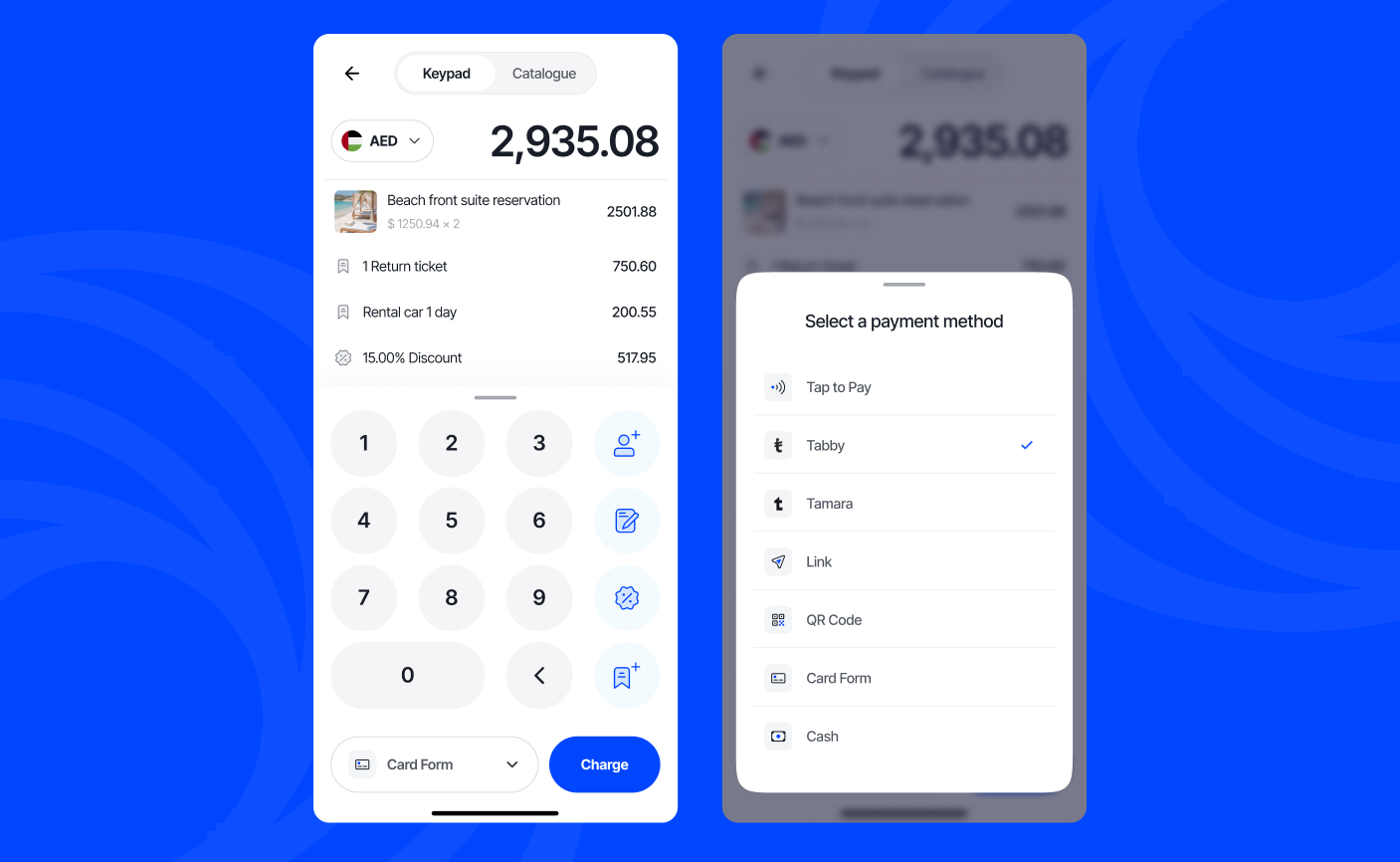
Creating an In-Person Payment
- Tap In-Person
- Enter the amount you're charging
- Tap Item name to add a description for what you are charging for. You can also edit the price or quantity, and tap Save
- Add extra details (optional):
- Tap the Add icon to add more items
- Tap Catalogue to add items from your Catalogue
- Tap the % icon to add a discount
- Tap the Note icon to add a note that describes what you are charging for
- Tap the drop-down to select a payment method
- Tabby and Tamara: Ask your customer to scan the QR code and pay from their own phone
- Link: Tap Share to copy or send a payment link to your customer
- QR code: Ask your customer to scan the QR code and pay on their own device
- Card Form: Enter your customer's card details.
- Cash: Enter the amount you received from your customer and tap Collect
- Tap Send Receipt to email your customer a copy